Friday, May 28, 2021

Immersive Experience: Summer Sprint One

 Individual Contributions I

Here is a link to our team's semester schedule: Summer Schedule

The assets that I'll be getting done over this semester are:

Sprint One

Player Hand:

The hand was taken from scan data, adjusted to fit the mannequin hand, and skinned. After seeing it in the scene and being used by the player, I'm going to up the resolution when I re-skin it to include the wristwatch.


Wristwatch:

In the process of high-poly. I aim to have it skinned to the player's hand by the end of Sprint Two. It's based on the Casio DW-240, which came out in the mid-80s, to fit the movie setting better.


Money Case and Money:

Currently has a simple rig and proxy. I've fallen behind on this asset, but should be able to catch up over the weekend.


Briefcase update: better-defined box model of briefcase now made.


Sprint Two

For Sprint Two, I'm continuing with the moneycase and wristwatch, making them game-res and laying out their UVs. I'm also making the hand higher-res and reskinning it to include the watch.


Sprint Three

Anton/MetaHuman:

I went through the MetaHumans on Quixel and found one that I think could look like Javier Bardem in the dark. If I have time, I'd like to change his hair since it's kind of a signature look, but we'll have to see how easy it is to import custom hair cards. I'd also like to find some different clothes for him.


Sprint Four

Ceiling Fan and Window:

The environment assets I'm responsible for. The window pane has the panning textures for the rain, and the ceiling fan has a simple rotation BP.


Sprint Five

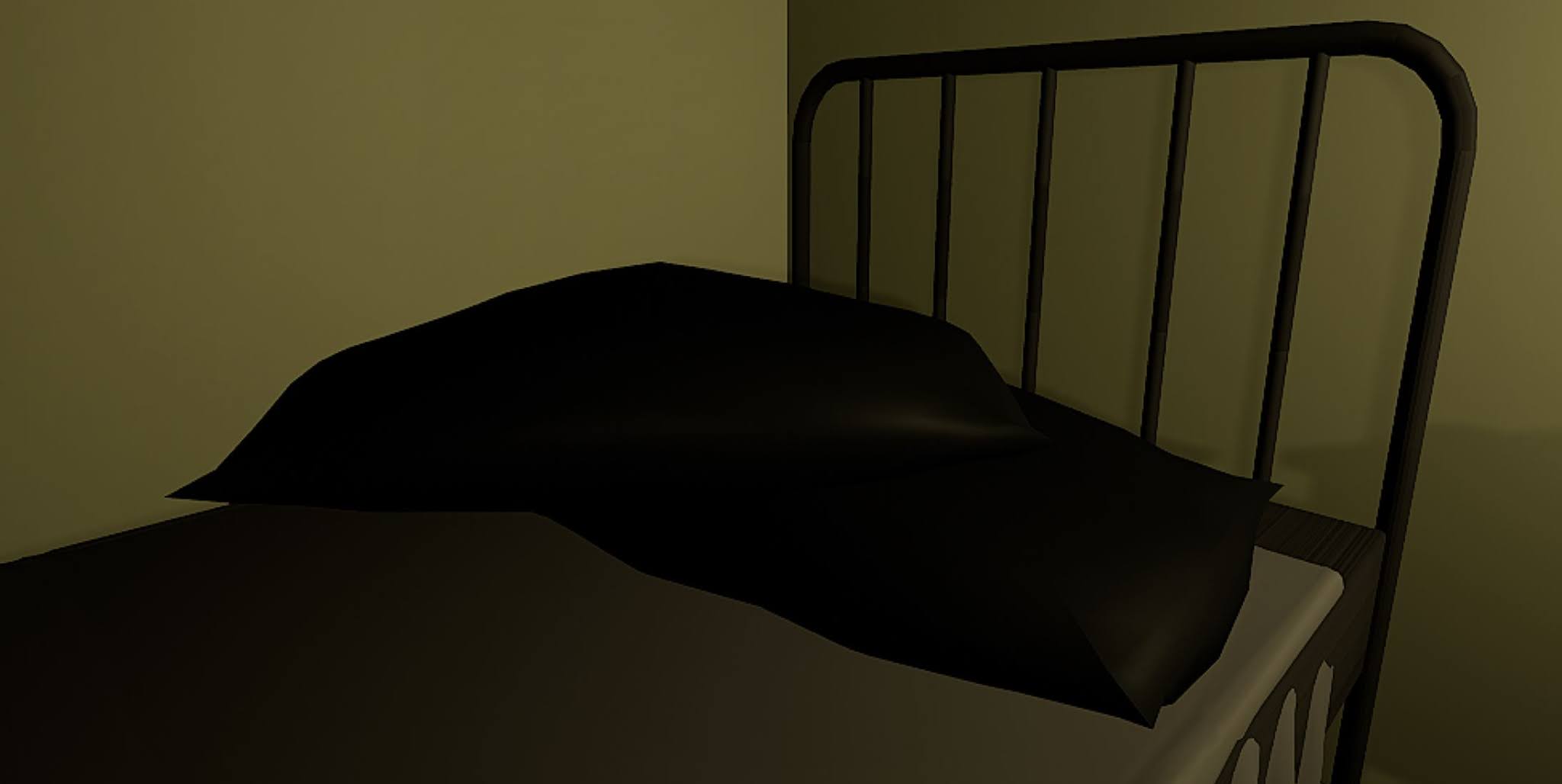
Pillow:

This asset is mostly finished, it just needs to be reskinned to the current pillow rig.


Alarm Clock:

More or less 'done' with stand-in textures and a functioning BP, but it's not optimized or detailed. I plan to touch it up during Sprint Five.


Sprint Six

Time left over to make any final adjustments or edits to my assets.

Sunday, May 23, 2021

3D Art III: Portfolio One Week One, Part II

 References and Proxy

The biggest thing I've been looking at has been anatomy. Nick showed me Anatomy 360, which is a source of 3d scans of people for reference. I also got a few references for a few of the other elements of the concept.

Schedule:

Week One, due 5/24 - all elements minus corpses proxied, have "default' humans sculpted, with retopology and UVs

Week Two, due 5/30 - high-poly of all elements

Week Three, due 6/6 - retopology and UVs of all elements

Week Four, due 6/13 - texturing and look dev in UE4


I built on my previous progress and added proxies for the gallows on his back. I also revisited the executioner's upper body to try to fix a few things.


For the humans, I wanted to try to plan ahead to minimize the number of times I had to retopologize and UV the bodies, since if I'm sticking really strictly to the concept, there are about 19-20 bodies. To hopefully speed up the process once I get to the game res stage, I made a male and female model, retopologized and UV mapped those two models, brought them back into Zbrush, and projected the sculpt onto the UVd model. This way I can iterate on the models and pose individual models while having a game res version at the same time. The female model is 4.8k tris, and the male is 5k tris.


Monday, May 17, 2021

3D Art III: Portfolio One Week One

 Portfolio One Proposal

1. Hell Executioner


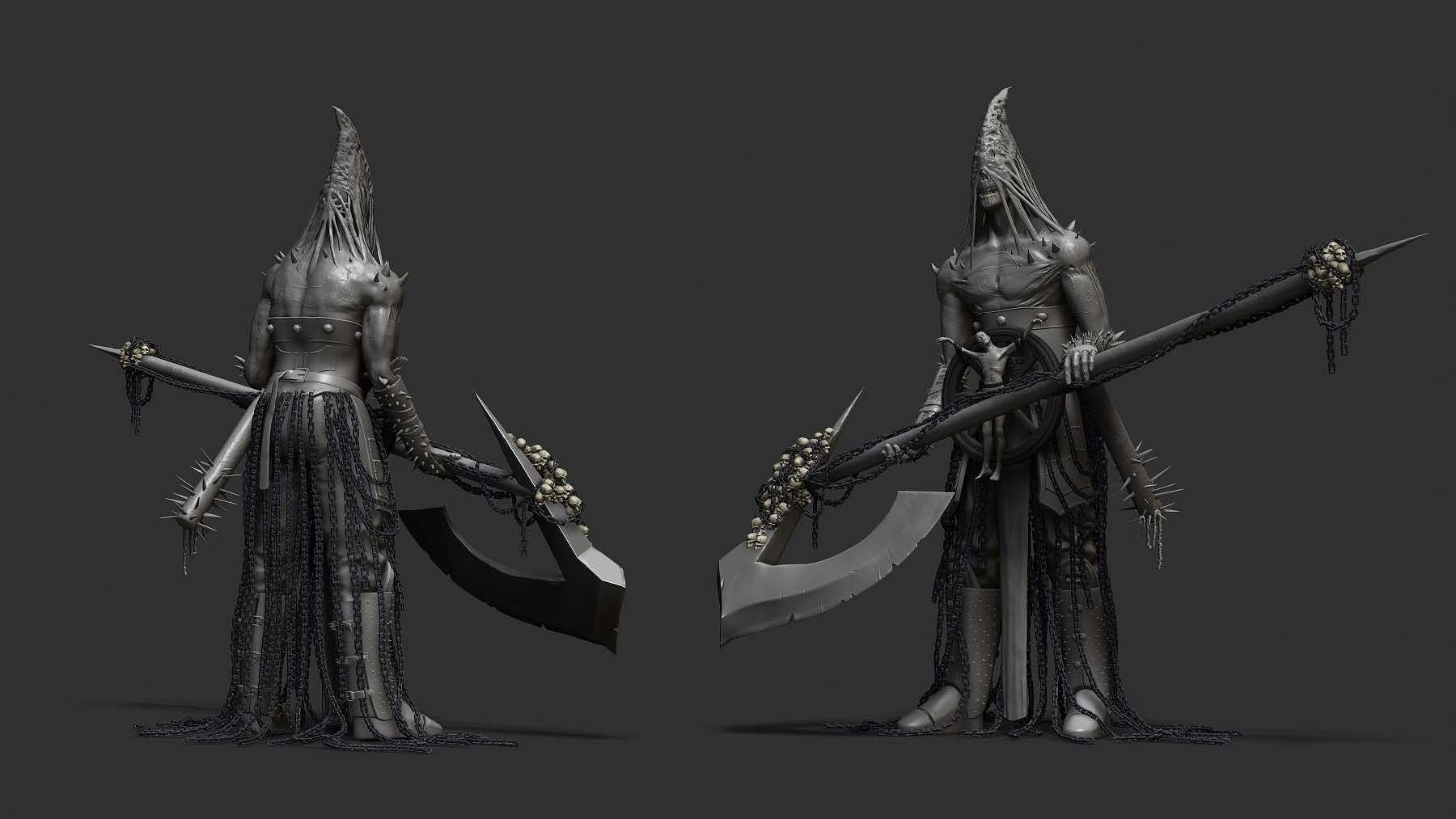
This is a project that I have partly done. I have the body mostly sculpted along with the armor and scythe, but would still like to refine it. I also have the entire gallows to do along with all the bodies, so I'm not sure how realistic it would be to get all of it done and textured within four weeks, but I'm willing to try!

My current progress:


2. Krulkus

This I think is a much simpler creature to potentially do. It would also be an opportunity to show more stylized work on my portfolio.

3. Astronomer


Another more stylized work, I think this would also be an opportunity to try to do more stylized work. I think it would also push me to focus on texturing, which is something I tend to rush through.

Sunday, April 25, 2021

3D Art II: Module Four Week Fifteen

 Game Resolution, UVs, First Bake

I had to play catch-up this week, since I was going to pivot from the water shader and tech art stuff to make a custom fish for the fish school, so that the model fit the art style better. I used some concept art for World of Warcraft to work from. I did the catfish, bottom right.

I took a rough box-modeled mesh I made in Maya to establish shape and scale and brought it into ZBrush. Since we're aiming for Michael Vicente/Orb/Blizzard style assets, I used his brush pack, mostly Orb_Cracks2 and the Flatten_EdgeProtect brush. I tried to use the flatten brush on edges on the surface, since a lot of Michael Vicente's work looks like it has this really thin bevel along any area that would come to a really sharp edge.


For retopology, I got it to around 5.2k tris. I may add a few more around the fins, since I ran into some issues in the first bake in those areas.


First bake:


Initial textures:


In engine:


I'd like to keep working on the textures and make a few more masks for the fins to see what kind of movement I can get. I'd also like to try to make some color variations for the fish school, which I may be able to do through the material instead of making a unique map.

Friday, April 23, 2021

VR Immersive Experience: Sprint Seven

 Team Three: Individual Contributions V

For this final sprint, I adjusted a few existing elements in the scene and added a few models and blueprints:

- adjusted collision on the nightstand and dresser drawers

- created a pillow rig and skeletal mesh so that they're floppy instead of rigid squares


- modeled bible and made simple textures

- imported the bible and Eric's cigarette pack, and added them as pick-up items into the scene


- added light switch blueprint that's linked to a closet light blueprint; when the player overlaps the switch and grabs, it flips the switch's mesh and changes the intensity of the closet light

- scaled down waterdrop effect on the window


Light switch blueprint:


Monday, April 19, 2021

3D Art II: Module Four Week Fourteen

 Part II: Adding Stuff Underwater


For this part of the module, I took some ideas from Ghislain Girardot's video that Nick showed us, and tried to add some underwater elements and give them a little life. 

Fish

For the fish, I found a really helpful tutorial on Youtube about how to get a static mesh to follow along a spline. It uses a Timeline to make a float track, and uses that to map the length of the spline from 0 to 1, and update the location and rotation of the fish along the spline.


I also wanted the fish to move up/down/side to side, but I wasn't sure how to get that to happen while still having the fish follow the spline, since their location is updated every tick to be on the spline. Instead, I used the World Position offset channel in the fish material to give the appearance of movement. It uses Time, a Sine node, and a vector parameter, which is then multiplied by either red, green, or blue to assign it to the x, y, or z axis respectively.

RotateAboutWorldAxis_cheap node to make the fins flap a little, masking the front of the fish's body and leaving the back half to be rotated along the z-axis.


Seaweed

The seaweed also uses its material to simulate movement. It uses two nodes, a RadialGradientExponential node and a SimpleGrassWind node. The RadialGradientExponential node is used to mask the very bottom of the blades of seaweed so that it's not moving at its root. The SimpleGrassWind node actually moves the seaweed.


The meshes for the fish and the seaweed aren't mine, and came from Sketchfab.

Edge Foam

I updated the edge foam to also try to mimic what Ghislain did, but I'm not sure I like it better than the old edge foam.

Instead of using a Noise node, it uses a tileable texture map, and uses the DistanceFieldGradient node and the DistanceToNearestSurface node like the old set-up did, but in this case it uses it to pan the texture.


I think I might revert it to the old edge foam set-up, but I'm not sure.

Monday, April 5, 2021

3D Art II: Module Four Week Twelve

 Part I: Water Shader Set-Up


There ended up being tons of really helpful resources for making stylized or simple water shaders. I did bring Adam Homoki's really complicated cartoon shader into the project and took some elements from his set-up, including his math for the Gerstner waves/world displacement, plus a few texture maps and material functions.


World Displacement

This uses the Cartoon water shader's Gerstner waves to calculate world displacement. It's a lot of math and cosine stuff that I don't fully understand, but I think it adds a lot of dynamism to the shore since it creates a more radically different surface than just a sine function.


Base Color with Depth Fade

I watched a YouTube video that used depth fade, and thought it would be useful in transitioning the ocean and the shore. It uses a blend overlay node and lerps using a depth fade node as a mask.


Fresnel Color Transition

This creates a change in color for distant water based on the viewing angle and makes the water a little less flat-looking.

Normals

Something else I took from Adam Homoki's shader: his normal blend material functions and normal maps. I could probably honestly do without them and use a simpler normal set-up if I needed to.


Edge Foam

This I got from a nice and simple YouTube video Nick shared. It needs Distance Fields turned on in the Project settings, since it uses those to judge where to generate noise.


Roughness

Played around with this quality, just trying to make the sun shining on the water surface a little less weird-looking. It uses a fresnel, and I'd like to work on the transition a little, although the hard edges might contribute to the stylized look since it makes it look a little cel-shaded.

Edge Fade

Uses the same node as the edge foam to soften the transition between the island and water. The issue is that it also does it for any objects that may be floating in the water, and you can see down below the water plane.


Sea Foam

These maps were taken from Adam Homoki's shader. It looks at the world position to tell the height of a wave, and if the wave is high enough, it applies the sea foam mask.


Foam Sparklies

This is an emissive quality that uses the same mask the sea foam uses to limit the location of the shiny bits. The two maps pan, and whenever their pure-white spots overlap, the If node lets it through and it comes out as an emissive spot.


Friday, April 2, 2021

VR Immersive Experience: Sprint Six

 Team Three: Individual Contributions IV

I cleaned out all our old geometry that was hanging around in our persistent level, so now the level that loads from Hez's menu should match what we've been working on.

I also worked on collision, since I know the last couple times Chris tested the level, the bed collision was just a big square encompassing the whole volume. I fixed the collision on the bed, and also fixed the collision for the closet shelf and hangers.

I implemented a clock, since I really liked Chris' idea of a sort of "diegetic" timer, since it would be more immersive than the HUD element. Right now it's just set to start at 1:55 AM, and getting it to keep two digits in the minutes display (ie. show 00-09 instead of 0-9) was actually more complicated than I was expecting, or at least I couldn't come up with a more concise way of doing it. My gif example has the delay sped up, in-game it's accurate and a minute elapses.


Another piece of feedback we got was to work on interactive elements, since in VR people want to immediately start throwing things around. I made the pillow a pick-up object, along with the cigarette tray. The smoke emits from the mesh, so it follows it around as the tray gets moved. I'd like to add individual cigarettes at some point, too.